Snapchat Plus Features: Everything You Need to Know (2026)
Snapchat Plus confuses many users when they first hear about it. You see friends with custom app icons and special badges. They track who rewatches their stories. You wonder what you’re missing.
Here’s the reality: Snapchat Plus unlocks 33+ exclusive features that transform your experience. It’s not just cosmetic changes. You get AI-powered tools, deeper friend insights, and complete app customization.
This guide reveals everything about snapchat plus features in 2026. You’ll learn what each feature does. You’ll discover if the subscription is worth your money. Plus, you’ll get clear answers to common questions.
No sales pitch. Just honest information to help you decide.
What Is Snapchat Plus?
Snapchat Plus is the premium subscription service from Snap. It launched in 2022 for power users. Now millions of people subscribe globally.
The service gives you early access to experimental features. You can customize nearly every aspect of your app. Plus, you get exclusive tools that free users never see.
How Snapchat Plus Works
The subscription operates on a freemium model. Basic Snapchat remains completely free with ads. Snapchat Plus removes some ads and adds premium features.
Snap doesn’t expect subscriptions to replace advertising revenue. Ads stay their core business model. But the subscription lets dedicated users enhance their experience significantly.
Who Should Subscribe?
Heavy Snapchat users benefit most from this service. You communicate daily with close friends. You care about customizing your digital space. You want deeper insights into your social connections.
Casual users might not need it. If you snap once weekly, save your money. The features shine brightest with regular active usage.
Snapchat Plus Pricing: What You’ll Pay in 2026
Pricing varies by country and device platform. Here’s the standard United States pricing structure:
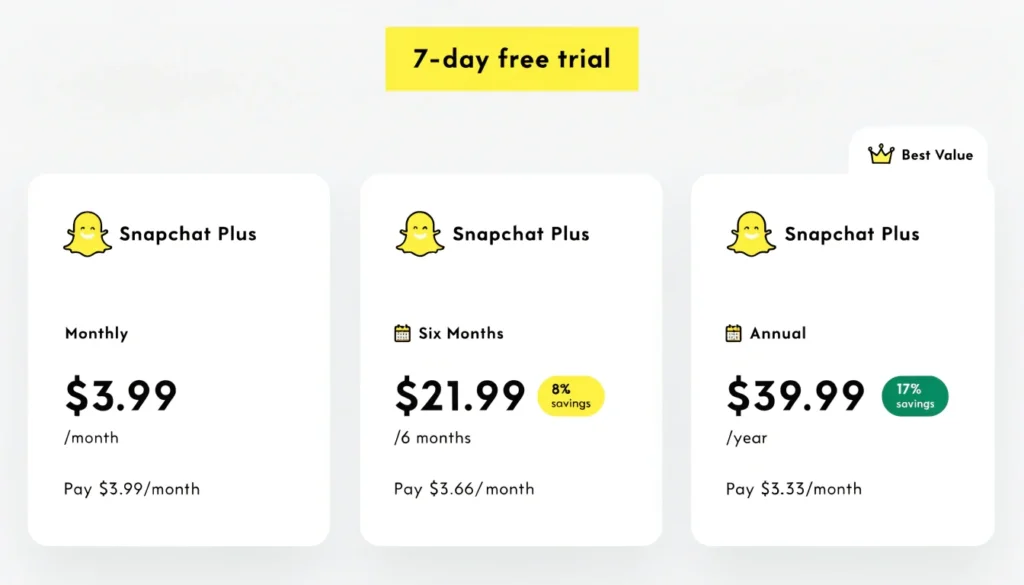
| Plan Duration | Cost | Monthly Rate | Savings |
|---|---|---|---|
| Monthly | $3.99 | $3.99 | — |
| Six Months | $21.99 | $3.67 | 8% off |
| Annual | $39.99 | $3.33 | 17% off |
A seven-day free trial lets you test everything. Cancel before it ends to avoid charges. This gives risk-free access to all features.
How Much Is Snapchat Plus Really Worth?
The annual plan offers best value at $3.33 monthly. That’s less than one coffee per month. For daily users, the customization and insights justify this cost easily.
Monthly subscriptions work if you’re testing long-term commitment. Six-month plans balance flexibility with modest savings.
Check your app’s Settings → Snapchat+ for exact regional pricing. Rates differ in Canada, UK, Australia, and other countries.
All 33+ Snapchat Plus Features Explained
What does Snapchat Plus do exactly? Here’s every feature broken down clearly.
Customization Features
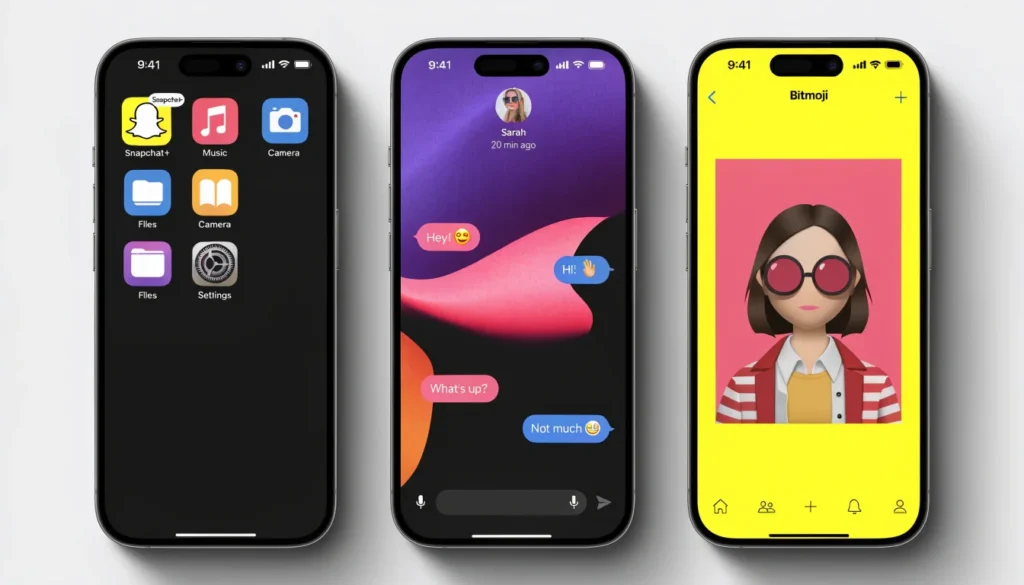
Custom App Icons
Change your homescreen Snapchat icon completely. Choose from 30+ unique designs. Match your phone’s aesthetic perfectly.
Custom App Themes
Transform the entire app’s color scheme and interface. Go beyond just icons to full visual overhauls.
Chat Wallpapers
Set custom backgrounds for individual conversations. Use Snap’s designs or your own photos. Make each chat visually distinct.
Generative Chat Wallpapers
Use AI to create unique chat backgrounds. Describe what you want, AI generates it. This feature launched in 2026.
Custom Chat Colors
Change message bubble colors in conversations. Personalize each friend’s chat with different colors.
Custom Notification Sounds
Set unique ringtones for different friends. Know who snapped without checking your phone.
Capturing Color
Customize the camera interface colors and badges. Add personal flair to your capture experience.
Social Features
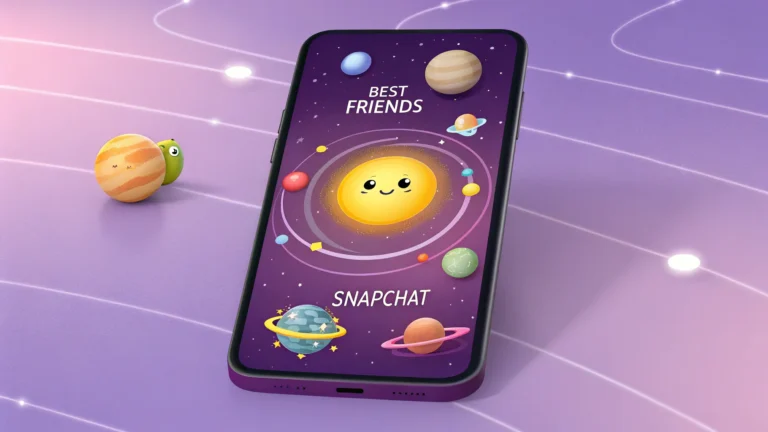
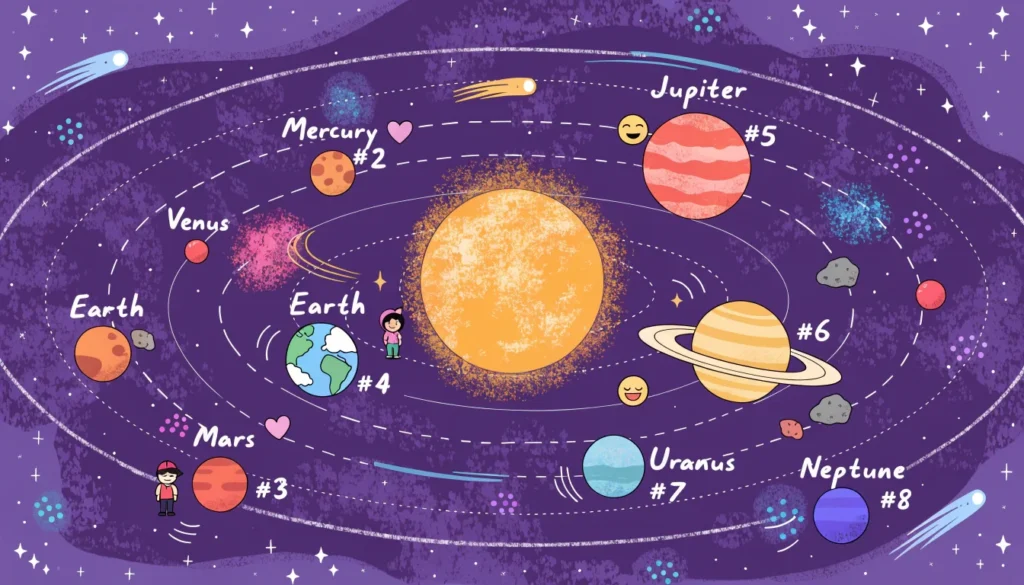
Friend Solar System
Your closest eight friends become planets orbiting you. You’re the Sun at the center. Mercury means #1 best friend, Neptune means #8.
This visualizes friendship rankings clearly. Learn more about snapchat plus planets and how rankings work.
Pin a BFF
Lock one friend’s chat at the top permanently. Only you see this pin. They receive no notification about it.
Priority Story Replies
Your replies to friends’ stories appear more prominently. They see your responses before others.
Story Rewatch Indicator
See the 👀 emoji when friends rewatch your stories. The number shows how many rewatched, not total views. You can’t see which specific friends rewatched.
Peek a Peek
Know when friends are viewing your shared chats. The 👀 emoji appears in your chat feed. Only visible if you’re actively looking during their peek.
Friend Snapscore Change
Get notifications when friends’ Snapscores change. Track their activity levels through Friendship Profiles.
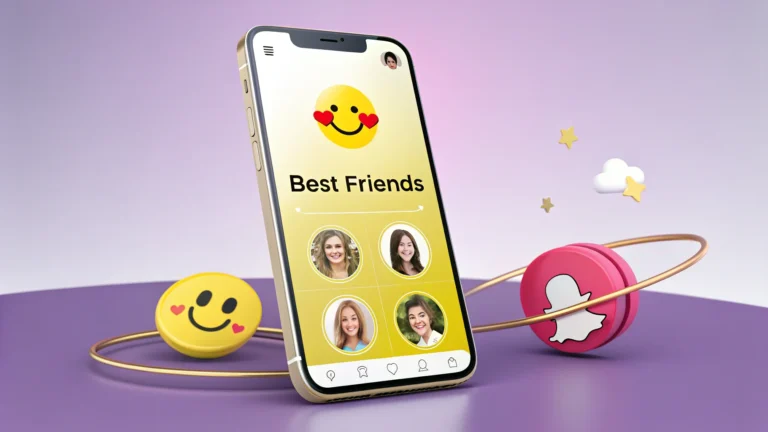
Extended Best Friends List
See more than eight best friends. Track a wider circle of close connections.
Friends in Chat
View which friends are currently active in group conversations. Better context for group dynamics.
Story and Content Features
Custom Story Expiration
Set story duration from one hour to one week. Keep important content visible much longer than standard 24 hours.
Story Boost
Promote your private story to friends for 24 hours. Get significantly more views. You receive one boost weekly with subscription.
Story Timestamps
See exact posting times on friends’ stories. Know when content was actually shared.
Story View Notifications
Get alerts when specific friends view your stories. Stay informed about who’s watching your content.
Post View Emoji
Choose an emoji friends see after viewing your snaps. Add personality to every interaction.
AI-Powered Features
AI Captions
Automatically generate captions for your snaps using artificial intelligence. Save time while maintaining creativity.
AI Creative Tools
Access advanced AI tools for content creation. Transform ordinary snaps into extraordinary visual experiences.
Generative Profile Backgrounds
Use AI to create unique profile backgrounds. Describe your vision, AI brings it to life.
Create a Bio for My AI
Customize your AI chatbot’s personality and biography. Make interactions more personal and relevant.
Engagement Features
#1 Best Friend
Designate one person as your absolute closest friend. Special recognition in your friend list.
Replay Again
Rewatch friends’ snaps multiple times. Standard users get one replay daily.
Replay Your Own Snaps
View your sent snaps again after sending. Review what you shared with friends.
Instant Streaks
Start streaks immediately with new friends. Skip the usual build-up period.
Lightning Snaps
Send snaps faster with streamlined interface. Reduce time from capture to send.
Streak Reminders
Get notifications before streaks are about to expire. Never lose important streaks accidentally.
Streak Restore
Recover one lost streak monthly. Protect your longest connections from accidents.
Snapscore Multiplier
Earn Snapscore points faster with multiplier bonus. Climb leaderboards more quickly.
Exclusive Cosmetic Features
Exclusive Bitmoji Backgrounds
Access special backgrounds like gleaming gold or beach paradise. Standard users can’t use these.
Exclusive Bitmoji Pet and Car Options
Unlock unique pets and vehicles for your Bitmoji. Stand out with premium accessories.
Snapchat+ Badge
Display a black star ✪ next to your name. Show your subscriber status publicly. This setting is off by default—toggle it on manually.
Additional Perks
Gift Snapchat+
Purchase 12-month subscriptions for friends. One-time gifts that activate after their current plan ends.
Home Tab Customization
Personalize what appears on your home screen. Curate your Snapchat experience.
Snapchat Plus Planets: Understanding Your Social Solar System
The snapchat plus solar system remains the most popular feature. It visualizes your closest friendships as planets orbiting you.
How the Planet System Works
You become the Sun at the center. Your top eight friends become planets. Position determines closeness:
| Planet | Rank | Meaning |
|---|---|---|
| Mercury | #1 | Your absolute best friend |
| Venus | #2 | Second closest connection |
| Earth | #3 | Third best friend |
| Mars | #4 | Fourth in your solar system |
| Jupiter | #5 | Fifth closest friend |
| Saturn | #6 | Sixth ranked friend |
| Uranus | #7 | Seventh in your system |
| Neptune | #8 | Eighth best friend |
The badge appears on friends’ profiles with a gold ring. “Best Friends” means you’re both in each other’s top eight. “Friends” means they’re in yours but you’re not in theirs.
How to Tell If Someone Has Snapchat Plus
Can you tell if someone has snapchat plus? Yes, several indicators reveal subscriber status clearly.
Visual Indicators
The Snapchat+ Badge is the most obvious sign. Look for the black star ✪ next to their display name. However, this is optional—many subscribers keep it disabled.
Feature-Based Detection
Notice if they use custom app icons on their home screen. Check if their Bitmoji has exclusive backgrounds you can’t access. These subtle signs indicate subscription status.
Special features give it away too. If they know your planet position, they’re subscribed. If they set custom story expiration beyond 24 hours, that’s another tell.
Want detailed methods to identify subscribers? Check our complete guide on how to tell if someone has snapchat plus.
Snapchat Plus vs Free Version: Key Differences
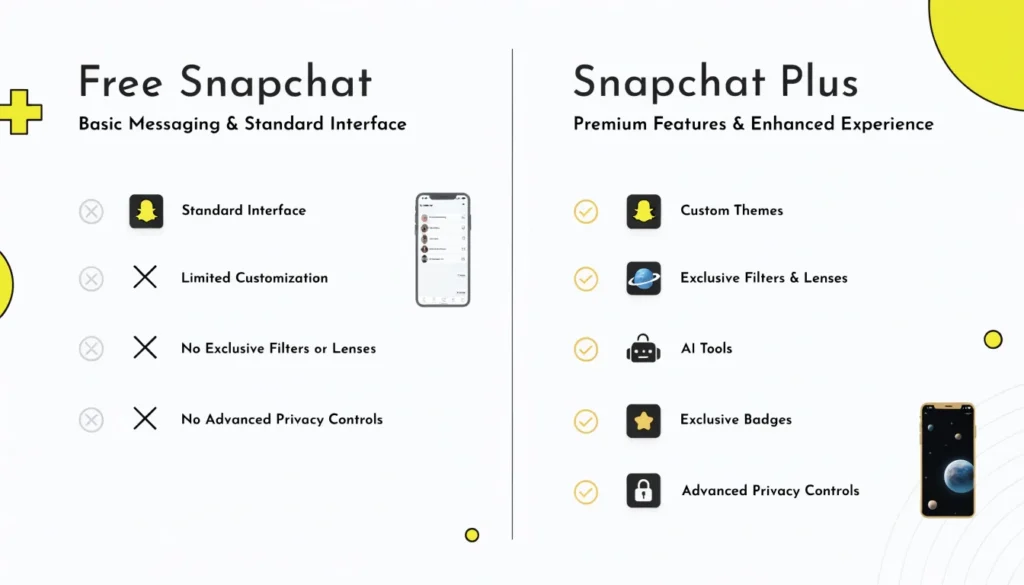
What can you do with snapchat plus that free users can’t? Here’s the honest comparison.
| Feature Category | Free Snapchat | Snapchat Plus |
|---|---|---|
| Basic messaging | ✅ Full access | ✅ Full access |
| Stories (24hr) | ✅ Yes | ✅ Yes + custom expiration |
| Filters & Lenses | ✅ Standard library | ✅ Plus exclusive Lens+ |
| Customization | ❌ Very limited | ✅ Extensive options |
| Friend insights | ❌ Basic only | ✅ Deep analytics |
| AI tools | ❌ Limited | ✅ Advanced features |
| Ads | ✅ All ads shown | ⚠️ Reduced (Platinum) |
| Early features | ❌ No | ✅ Yes |
What Free Users Miss
Free Snapchat works perfectly for casual use. You get all core functionality. But you miss customization, insights, and exclusive features.
The snapchat plus benefits center on personalization and engagement tools. If these matter to you, subscription delivers significant value.
How to Subscribe to Snapchat Plus
Signing up takes less than two minutes. Here’s the exact process.
In-App Subscription
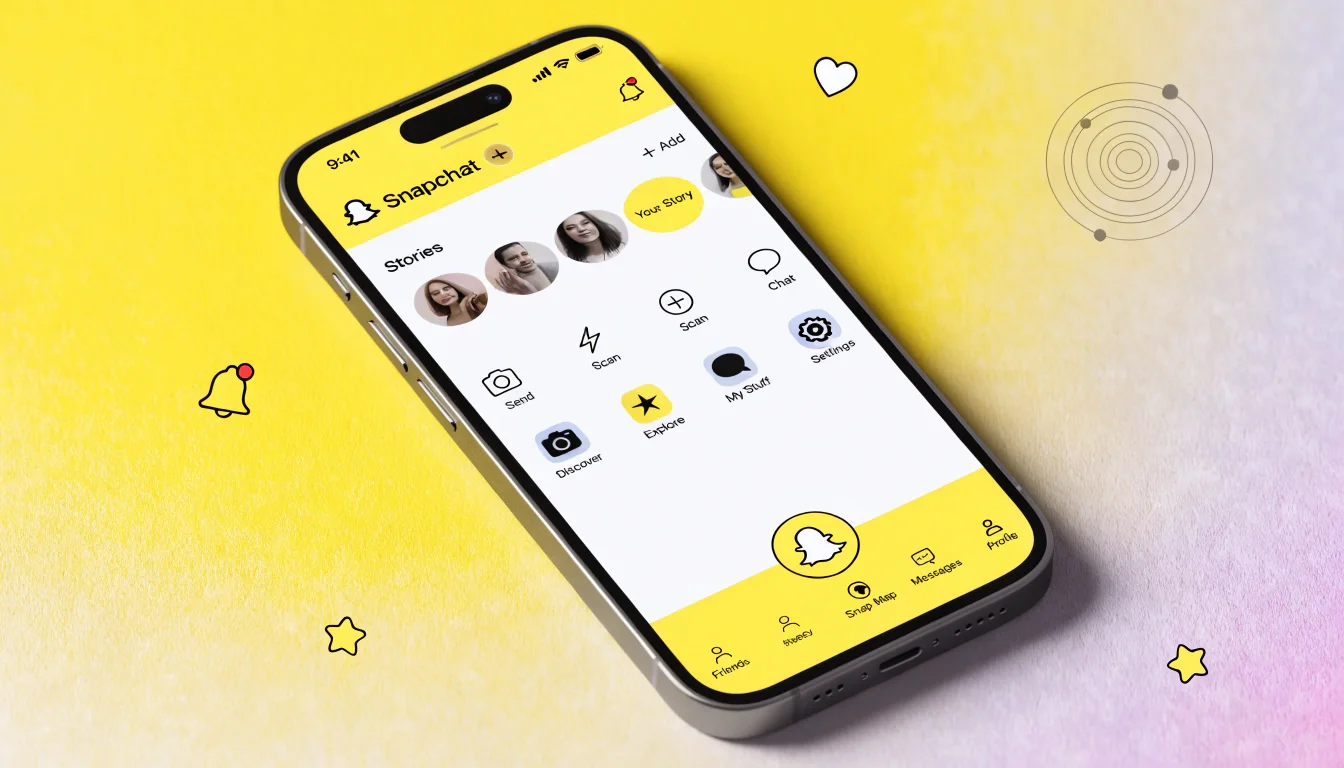
- Open Snapchat and tap your profile icon
- Look for the gold-tinted Snapchat+ banner at top
- Tap the banner to view available plans
- Select your preferred subscription term
- Complete payment through your app store
- Restart Snapchat to activate features
If you don’t see the banner, dismiss other cards first. The subscription option appears at your profile’s top section.
Web Subscription Option
You can also subscribe through snapchat.com/plus. This works even if you’re new to Snapchat. Sign in or create an account, choose your plan, complete payment, then restart your app.
Payment Methods
Payment processes through Google Play or Apple App Store. You can use credit cards, debit cards, or your account balance. Regional options may vary.
How to Cancel Snapchat Plus
Canceling is straightforward on any device. You maintain access until your billing period ends.
iPhone Cancellation Steps
- Go to iPhone Settings app
- Tap your name at top
- Select “Subscriptions”
- Find and tap Snapchat+
- Tap “Cancel Subscription”
- Confirm cancellation
Android Cancellation Steps
- Open Google Play Store app
- Tap your profile icon
- Go to “Payments & subscriptions”
- Select “Subscriptions”
- Find Snapchat+ and tap it
- Tap “Cancel subscription”
- Follow confirmation prompts
Your subscription auto-renews unless you cancel. Set a reminder if you’re only testing the free trial.
New 2026 Snapchat Plus Features
Snap continuously adds features for subscribers. Here’s what launched recently in 2026.
Snap Modes
New capture modes exclusive to Plus subscribers. These change how your camera functions and applies effects automatically.
Generative AI Stickers
Create custom stickers using AI text prompts. Describe what you want, AI generates unique stickers. These work across all your snaps and chats.
Lens+ Integration
Access exclusive AR lenses that free users never see. Professional-quality effects for content creators and enthusiasts.
More features launch throughout 2026. Subscribers get early testing access before public rollout.
Is Snapchat Plus Worth It? Honest Pros and Cons
Let’s evaluate snapchat plus benefits against the cost objectively.
Advantages
Deep Customization
Transform your entire app experience. Match your personal style completely. This alone justifies the cost for many users.
Friend Insights
Understanding your social dynamics better helps maintain relationships. The solar system and rewatch indicators provide valuable feedback.
Early Access
Testing new features months before everyone else feels special. You influence development through early feedback.
Enhanced Engagement
Tools like Story Boost and Priority Replies increase your visibility. Perfect for creators and active social users.
Disadvantages
Ads Still Present
The base Snapchat Plus includes ads. Only Platinum plan removes most advertising. This disappoints many subscribers.
Limited Regional Availability
Not all countries have access yet. Expansion continues but isn’t universal.
Feature Overload
Thirty-three features overwhelm some users. You won’t use everything available. Find what matters to you.
Subscription Fatigue
Another monthly charge adds to streaming, gaming, and other subscriptions. Evaluate if you’ll actually use it regularly.
The Verdict
For daily active users, Snapchat Plus delivers strong value at $3.33 monthly. Customization, insights, and exclusive features justify the cost.
Casual users should skip it. Weekly snappers won’t benefit enough. Save your money for subscriptions you’ll actually use.
Frequently Asked Questions
Conclusion
Snapchat Plus transforms how you use the platform daily. You get 33+ exclusive features spanning customization, AI tools, and social insights. The friend solar system visualizes your closest connections beautifully.
For $3.33 monthly with annual billing, active users receive tremendous value. Deep personalization and engagement tools justify this cost easily. Casual users should stick with free Snapchat.
The seven-day free trial removes all risk. Test every feature yourself before committing. You’ll quickly know if it enhances your experience.
Ready to upgrade your Snapchat experience? Visit your profile settings and start your free trial today. Discover which features transform your daily snapping routine.